Visual Building Basic

Special Online Offer
Visual Building PRO
Special Online Offer
Visual Building Premium
Special Online Offer
Transform Your Architectural Vision with Visual Building: The Ultimate 2D & 3D Design Solution
Are you planning a home renovation, designing a new build from scratch, or looking for a professional-grade CAD tool that doesn’t require a university degree to master? Whether you are a homeowner, self-builder, or professional architect, the right software is the bridge between a vague idea and a successful project.
At Visual Building we provide a comprehensive suite of 2D and 3D architectural design software tailored to every skill level. Our mission is simple: to empower you to visualize, plan, and communicate your building projects with precision and ease.
If you have any question please contact our sales team customercare@visualbuilding.co.uk
Why Choose Visual Building?
In an industry often split between overly simplistic apps and prohibitively expensive professional CAD systems, Visual Building occupies the "sweet spot." We offer the power of professional architectural tools with an intuitive interface that makes design accessible to everyone.
Ease of Use: Start drawing walls, windows, and doors immediately with a "drag-and-drop" logic.
Precision: Everything you draw in 2D is simultaneously created in 3D, ensuring structural accuracy.
Cost-Effective: No expensive monthly subscriptions. Our perpetual licenses mean you own the software you buy.
Our Product Range: A Version for Every Need
We understand that a DIY enthusiast has different needs than a professional developer. That’s why we’ve developed three distinct versions of our software:
Visual Building Basic
Perfect for: Homeowners and small DIY projects. The ideal entry point for those who want to visualize furniture layouts, room extensions, or simple interior designs. It provides all the core tools to create a 3D model of your home and see it from any angle.
Visual Building Professional
Perfect for: Self-builders and serious renovators. Our most popular version. It includes advanced features like automated roof construction, multi-layered wall definitions, and the ability to produce detailed 2D plans required for planning applications.
Visual Building Premium
Perfect for: Designers and planning consultants. Premium adds another layer of sophistication with enhanced rendering capabilities, 3D object editing, and advanced terrain tools. It allows you to create photo-realistic visualizations that help "sell" a project to clients or planning committees.
New version 13 released
Take the First Step Towards Your Dream Project
Stop dreaming and start designing. Whether it's a small kitchen makeover or a grand architectural masterpiece, Visual Building provides the tools to make it a reality.
By choosing Visual Building, you are joining a community of thousands of satisfied users who have successfully taken control of their building projects, saved money on professional fees, and avoided costly on-site mistakes through better planning.
Ready to get started?
- Download a Trial Version to test the features for yourself.
- Compare Versions to find the perfect fit for your project.
- Purchase Online for instant access and start designing in minutes.
Visualize your future. Build your vision. Experience Visual Building.
Key Features That Set Us Apart
Simultaneous 2D and 3D Workflow
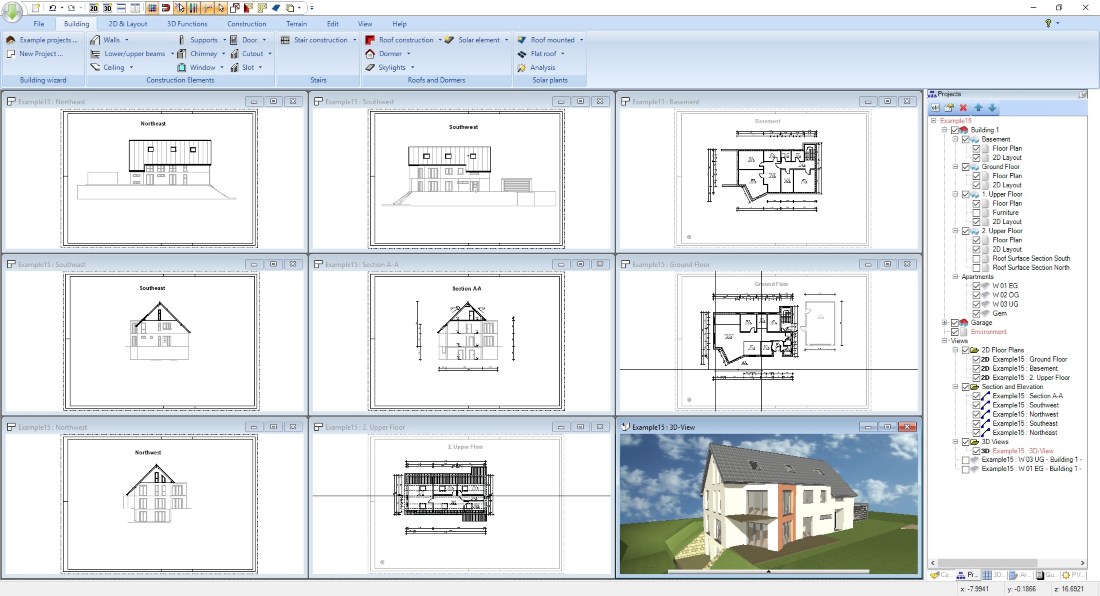
Forget switching between modes. As you draw your floor plan in 2D, Visual Building automatically generates the 3D model. This ensures that what looks good on paper actually works in three-dimensional space.
Extensive Object Catalog
Furnish your project with thousands of 3D objects. From kitchen cabinets and bathroom fixtures to outdoor landscaping and trees, our library helps you bring a sense of scale and realism to your designs.
Planning Application Ready
Visual Building isn't just for "pretty pictures." Our software is designed to produce the technical 2D drawings—elevations, sections, and floor plans—needed for UK Building Regulations and Planning Permission.
Support and Learning Resources
Buying software is an investment, and we want to ensure you get the most out of it. At Visual Building we don't just sell you a download link and disappear. We offer:
- Video Tutorials: Step-by-step guides covering everything from the first wall to complex roof structures.
- Comprehensive Documentation: Easy-to-read manuals in PDF format.
- Active Support: Our team is dedicated to helping you overcome technical hurdles quickly. Our support is available by email and answers every question asap.
Free trial
To download the free evaluation programs you simply need you to register.
Trial versions are available in our download area.
Visual Building News
 Visual Building Version 13
Our new version 13 is now available.
What's new: an overview of our new features
Updates are available in our shop.
Compatibility Notes for Mac
When satisfied your configuration is suitable for the trial version, then the licensed version will run.
Use Cases, User Profiles, more Options with Visual Building
See how easy you can design your home with 3D-Objects, textures and materials.
Create quality 3D visualizations with shadow calculation. Add a photo as a background picture in 3D. Edit the world position of your home and determine date and time of day for a realistic shadow simulation
Visual Building has several numeric input and construction options to draw accurate floor plans.
Not so obvious but very common in architectural software is an alternative construction using 2D-guidelines. Mark your construction points and then snap to with your mouse cursor while drawing walls etc.
New timber frame construction PlugIn for walls, included in our Premium version 8
Using the Timber Frame Construction Wizard you can fill all your existing walls with timber frames in seconds and then export a PDF, Word or Excel report with material list and sketches to get a quote from timber frame companies.
If you already own Visual Building Basic, Professional or Premium, you can purchase the Visual Fire Escape Planner functions as an add-on catalogue.
In principle fire escape plans can be achieved with any version of Visual Building used together with the Fire Escape Plan Catalogue, which is available as a separate product.
Read more about Fire Escape Plans in our Visual Fire Escape Planner product description and in our User Profiles menu.
BIM Export PlugIn
Export your 3D building as an IFC file for further editing in other 3D CAD programs .
As a private user or selfbuilder you can export your own building design for further usage with your architect or builder.
Solar Panels
Using Visual Building software, all our user groups can now design and demonstrate exactly what their final solar installation will look like, and at the same time display the actual parameters used in the calculations. Visual Building also creates a short item list with basic information about your solar installation.
Kitchen Design
Kitchen Design with Visual Building and one of the additional Kitchen Catalogue Extensions.
The advantage of using Visual Building is that it gives designers and architects the chance to show their clients how the building and individual rooms will look like, helping you to sell your ideas and designs.
Garden and Exterior Design
With Visual Building you can not only plan and design your building but also the surrounding garden.
A set of 2D and 3D plants plus garden furniture and fences is included in our 3D objects catalogue. And you have the possibility to load and integrate more objects with our 3D Converter PlugIn.
Bathroom Design
Bathroom Design with Visual Building and our Bathroom Catalogue Extension.
The 3D Bathroom Collection 1 contains 800+ objects and textures for use in bathroom designs in Visual Building.
Interior Design
A design and visualization software tool for interior designers and home designers
As an interior designer you need a quick way to express your ideas to your clients. Using 2D plans and 3D visualizations you can present in a clear and understandable format your ideas and designs.
No matter if you are providing the interior designs for a single room, a flat, a mansion or a commercial complex, you can use the same interior design tools.
We have fittings, fixtures and furniture libraries for all rooms, including bathrooms, kitchens and more....
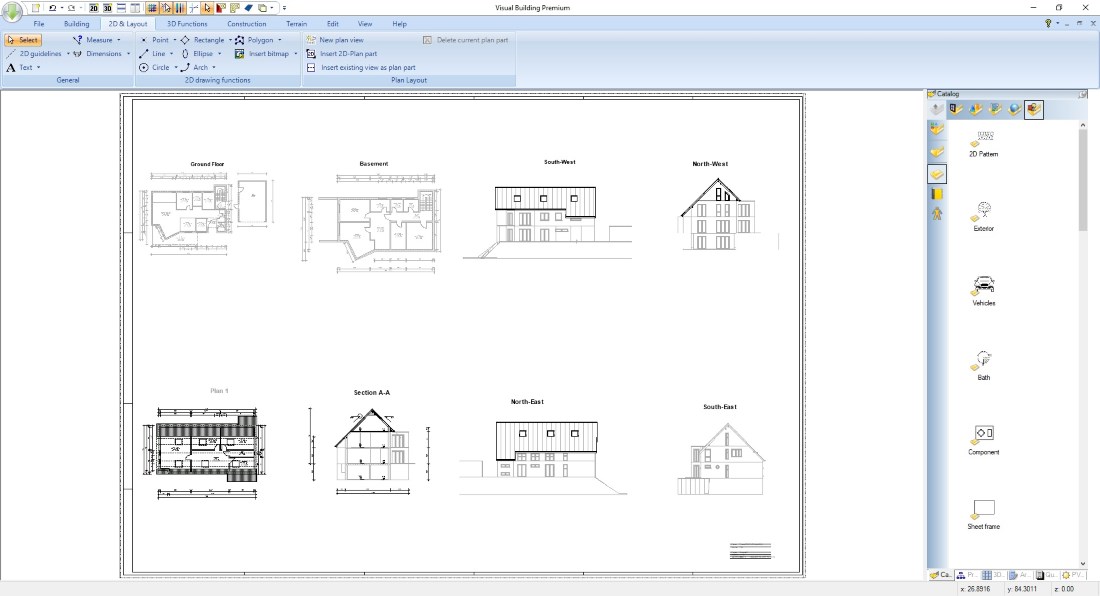
Our Pro and Premium Versions contain an additional Plan Layout PlugIn with which you can simply create a plan with multiple 2D views on it, without drawing anything new.
Select your existing views from a list, no matter if 2D top view, section or elevation views and arrange them on your plan with a few mouse clicks.
Read more about Building Plan Layout.
Visual Building can aid you in all aspects of designing and documenting electrical installations for most domestic, agricultural and commercial use. This includes Telephone, Data, Lighting, TV, Satellite, AV systems, Security, Low Voltage, Heating and Ring.
As an architectural software Visual Building creates professional 2D Building Plans with nearly every detail.
Create multiple 2D views showing different content, e.g. one view for each floor, with electrical installation,....
And we have an additional catalogue with 700+ 2D symbols you can easily drag and drop into your 2D drawing.
Allthough supplied with many 2D symbols, Visual Building symbol catalogue is extendible allowing you to easily create and add new symbols as required. You can even import existing DXF symbol libraries. (Pro and Premium versions).
3D Converter
No catalogue can ever be complete but with our Visual Building 3D Converter PlugIn you can download 3D models from the internet, convert them in our own format and extend our existing catalogue with your own 3D elements.
The converted 3D objects can be modified by changing materials and textures, scaled and once completed saved to our standard catalogue from where you can simply drag and drop them into your 3D scene.
The converter supports various 3D formats like *.3DS, *.OBJ, *.skp, Collada, and more...
Visual Buildings PRO and Premium versions contain additional functions to design your own 3D models.
With a set of predefined 3D solids like cubes, spheres, etc. together with individual extrude, sweep or rotation solids you can add 3D Objects to your catalogue but also solve special construction needs in your building.
So called 3D Substraction solids allow to cut out 3D volumes from your building model, used to create 3D section views, excavation, etc.
Frequently Asked Questions about Visual Building CAD Software
Whether you are a DIY enthusiast or a professional designer, choosing the right architectural software is key to your project's success. Here are the answers to the most common questions about our software versions.
1. What is the difference between 2D CAD and 3D building models?
Traditional 2D CAD focuses on lines and arcs to create flat blueprints. Visual Building uses 3D building model technology, meaning when you draw a wall in 2D, the software automatically creates an object with height, thickness, and material properties for an instant 3D view.
2. Can I import my existing floor plans?
Yes. You can import existing plans in formats such as JPG, PNG, or PDF to use as a template. Higher-tier versions also support DXF/DWG imports, allowing you to collaborate with architects and engineers using industry-standard formats.
3. Do I need professional architectural training to use Visual Building?
Our software is powerful enough for professionals but designed with a logical interface for homeowners and self-builders. We provide extensive video tutorials and documentation to help you move from a basic sketch to a detailed 3D model without needing a degree in architecture.
4. Can the software produce plans for Planning Permission?
Absolutely. You can generate all the necessary documentation for UK planning applications, including floor plans, elevations, cross-sections, and site plans that clearly communicate your vision to local authorities.
5. What are the hardware requirements?
To ensure smooth 3D rendering and design, we recommend a Windows-based PC with a dedicated graphics card (GPU) and at least 4GB of RAM. While it may run on lower specs, complex architectural designs perform best on modern hardware.
6. Does it support 3D interior design and landscaping?
Yes. Beyond structural walls, Visual Building includes a massive Object Library featuring furniture, kitchen cabinets, bathroom fixtures, and outdoor elements like trees and fences to help you visualize every detail of your home and garden.
7. Can I calculate the cost of materials?
Our professional versions include a Quantity Take-off tool. This automatically calculates the area of walls, floors, and roofs, as well as the volume of materials needed—an invaluable tool for budgeting and getting accurate quotes from builders.
8. Is there a mobile or Mac version?
Visual Building is native to Windows. Mac users can run the software using Windows emulation tools (such as Parallels or Boot Camp). We recommend checking your specific system compatibility before purchasing.
9. Is this a one-time purchase or a subscription?
Unlike many other CAD suites, we offer perpetual licenses. This means you pay once and own that version of the software forever, with no forced monthly "rental" fees to access your own project files.
10. How does the 3D rendering work?
The software features a real-time 3D environment. As you make changes in the 2D plan, the 3D view updates instantly. You can perform solar studies to analyze shadows or create high-quality images for project presentations.